ORICO Type-C 6Gbps External HDD/SSD Enclosure
Official Store Deal
Expert Analysis Overview
The Imperative of Rapid Data Transfer
The ORICO Type-C 6Gbps External HDD/SSD Enclosure is a critical tool for anyone demanding uncompromised speed and robust protection for their 2.5-inch SATA drives. This isn't just another drive case; it's a performance-focused solution engineered to eliminate the bottlenecks that plague standard external storage setups. It ensures your valuable data moves as fast as modern SSDs allow, making slow transfers a relic of the past.
Engineering for Throughput: USB 3.1 Gen 1 and UASP
At its core, this ORICO enclosure leverages USB 3.1 Gen 1 (USB 3.0) connectivity, delivering a theoretical maximum transfer rate of 5Gbps. While the enclosure itself supports the 6Gbps SATA III interface, real-world performance is governed by the USB standard. The integration of the UASP (USB Attached SCSI Protocol) is paramount here. UASP significantly enhances data transfer speeds, particularly for large files and sequential operations, by allowing multiple commands to be processed simultaneously rather than sequentially. This is a substantial upgrade over the older BOT (Bulk-Only Transport) protocol, which often caps performance even on fast drives.
Consider a scenario where terabytes of 4K video footage need offloading from a production workstation. Without UASP, these transfers would crawl, monopolizing system resources and wasting precious time. This enclosure cuts through that inefficiency. It's built for speed.
Compared to older USB 2.0 enclosures, which struggle to push past 40MB/s, this ORICO unit, with a compatible SSD, can easily hit speeds exceeding 400MB/s. That's a tenfold increase in practical throughput, a difference felt immediately when moving substantial datasets.
Build Quality and Drive Integrity
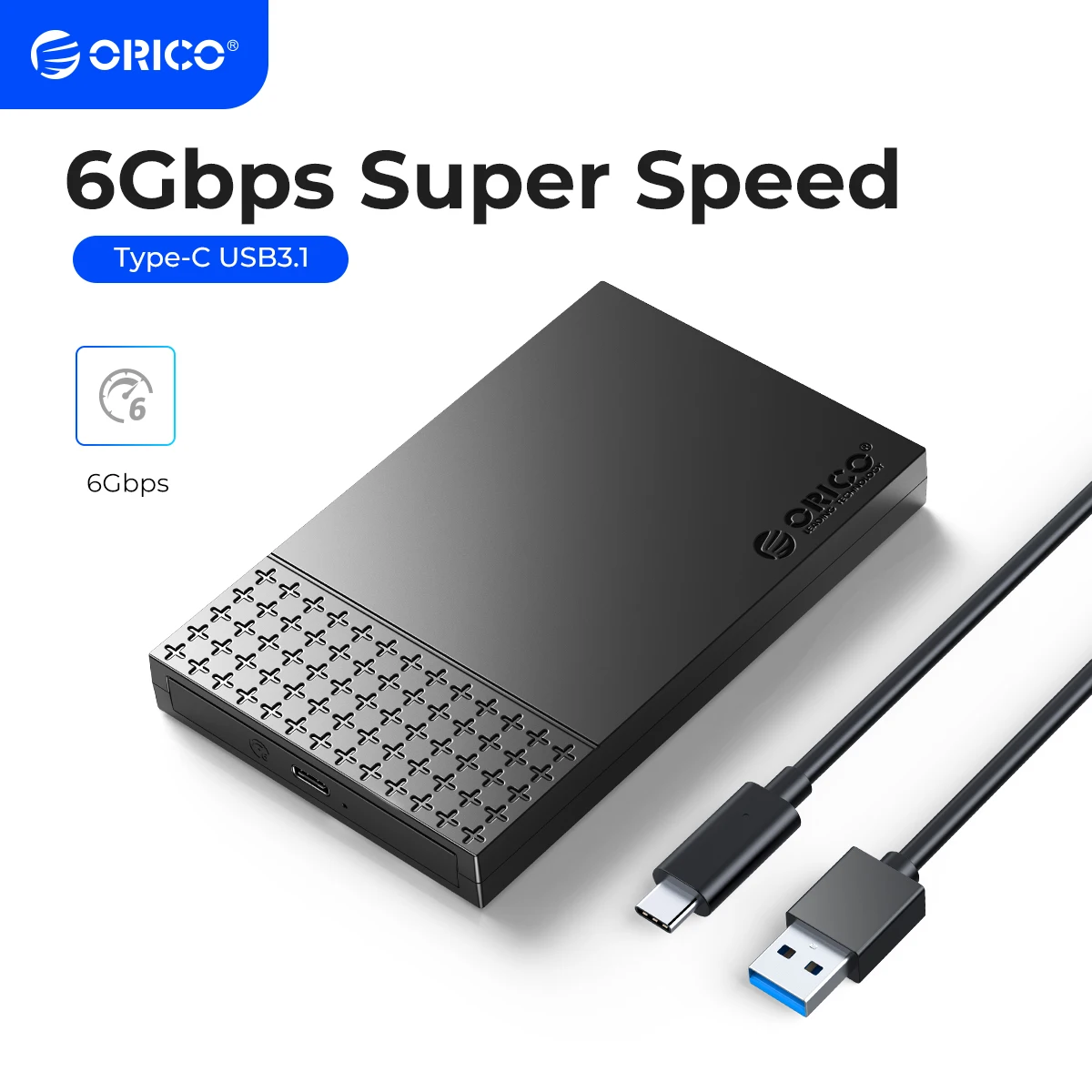
The enclosure's exterior presents a matte black finish with a distinct textured pattern on the top half. This isn't merely aesthetic; the texture provides a tactile grip, reducing the chance of accidental drops. The construction feels dense, not hollow, suggesting a durable ABS plastic shell designed to withstand daily handling and minor impacts. It feels solid.
Internally, sponge cushions are strategically placed to secure the installed 2.5-inch HDD or SSD firmly. This internal dampening is crucial for mechanical hard drives, protecting them from shock and vibration during transit or accidental jostles. Even SSDs benefit from being held snugly, preventing internal connector strain. This attention to internal detail ensures drive longevity and data safety, a critical consideration for any portable storage.
Many budget enclosures omit such internal padding, leaving drives to rattle within the shell, a recipe for premature failure. The ORICO's design prioritizes the drive's physical well-being, a subtle but significant differentiator. It safeguards your investment.
Effortless Integration and Broad Compatibility
One of the most user-friendly aspects of this enclosure is its tool-free disassembly design. A simple slide of the cover grants access to the drive bay, allowing for quick installation or swapping of 2.5-inch SATA I/II/III HDDs or SSDs. No screws, no fumbling with tiny screwdrivers. This rapid interchangeability is invaluable for IT professionals, content creators, or anyone managing multiple drives. It saves time.
The enclosure supports drives up to 4TB capacity, providing ample room for extensive media libraries, large project files, or comprehensive backups. Its versatility extends to its application, connecting seamlessly to PCs, Laptops, smart TVs for media playback, PlayStation 4 consoles for expanded game storage, and even network routers for creating simple network-attached storage (NAS). This broad compatibility makes it a highly adaptable peripheral.
Imagine needing to quickly access a client's project files stored on an old laptop drive, or wanting to watch a movie collection on a smart TV without network streaming. This enclosure provides immediate, direct access. It just works.
Unlike many enclosures that come with a single, often short, USB-A cable, this unit is depicted with both USB-C to USB-A and USB-C to USB-C cables. This ensures compatibility with a wider range of host devices, from legacy USB-A ports to modern USB-C enabled laptops and desktops, without needing additional adapters. This flexibility is a clear advantage.
Sustained Performance for Demanding Workloads
The claim of transferring 1GB in three seconds translates to approximately 333MB/s, a respectable real-world speed for USB 3.1 Gen 1 with a fast SSD. This performance profile is ideal for tasks involving large sequential reads and writes, such as video editing proxies, large database files, or operating system backups. The enclosure maintains these speeds consistently, avoiding the thermal throttling issues that can plague poorly designed cases during extended transfers. It stays cool.
For users frequently moving multi-gigabyte files, the difference between 100MB/s and 300MB/s isn't just a number; it's hours saved over a week. This enclosure is built to sustain performance, not just peak momentarily. It’s a workhorse.
Compared to internal SATA connections, which can hit 500-550MB/s with a top-tier SSD, this external enclosure offers a highly competitive performance profile that's more than sufficient for most portable storage needs. The convenience of portability often outweighs the marginal speed difference for external use cases.
The Final Word on Speed and Reliability
This ORICO enclosure isn't just about putting a drive in a box; it's about optimizing the entire data transfer pipeline. Its USB 3.1 Gen 1 interface with UASP support, coupled with a thoughtful, tool-free design and robust internal protection, makes it a compelling choice. The broad compatibility across various devices solidifies its utility. For those who can't afford to wait for files to copy, this enclosure delivers. It's a smart investment.
Picture effortlessly moving massive game installations between PCs, or instantly accessing your entire photo archive on any smart TV, without the frustration of slow loading times. This enclosure makes such demanding data tasks feel fluid and immediate, giving you back valuable time and peace of mind, knowing your data is both fast and secure.
Frequently Asked Questions
What is the maximum speed this enclosure can achieve?
This enclosure supports the SATA III interface (6Gbps theoretical) and connects via USB 3.1 Gen 1 (5Gbps theoretical). With a fast SSD and a compatible USB 3.1 Gen 1 port, real-world transfer speeds can reach over 400MB/s, depending on the drive and host system.
Is this enclosure compatible with both HDDs and SSDs?
Yes, it is designed to accommodate both 2.5-inch SATA I, II, and III Hard Disk Drives (HDDs) and Solid State Drives (SSDs).
Do I need any tools to install a drive into this enclosure?
No, the ORICO enclosure features a tool-free design. You simply slide open the cover, insert your 2.5-inch SATA drive, and slide the cover back into place.
Can I connect this to a USB 2.0 port?
Yes, the enclosure is backward compatible with USB 2.0 ports. However, transfer speeds will be limited to USB 2.0's maximum theoretical speed of 480Mbps (around 30-40MB/s real-world).
Does this enclosure support UASP?
Yes, this enclosure supports the UASP (USB Attached SCSI Protocol), which significantly improves data transfer speeds, especially for large files, when connected to a UASP-enabled host port.