Kingston A400/KC600 SATA III 2.5-inch Internal SSD
Official Store Deal
Expert Analysis Overview
The Kingston A400/KC600 SATA III 2.5-inch Internal SSD is a crucial performance upgrade designed for users demanding immediate system responsiveness and rapid file transfers without breaking the bank. This solid-state drive targets the common bottleneck of traditional hard disk drives, offering a tangible boost in boot times, application loading, and overall system fluidity. It's a direct solution to sluggish computing.
This SSD fundamentally transforms a computer's operational speed. Unlike mechanical hard drives that rely on spinning platters and read/write heads, solid-state drives utilize NAND flash memory. This means data access is virtually instantaneous, eliminating the physical delays inherent in older storage technologies. The absence of moving parts also contributes to a quieter system operation, a subtle but significant improvement for any workstation.
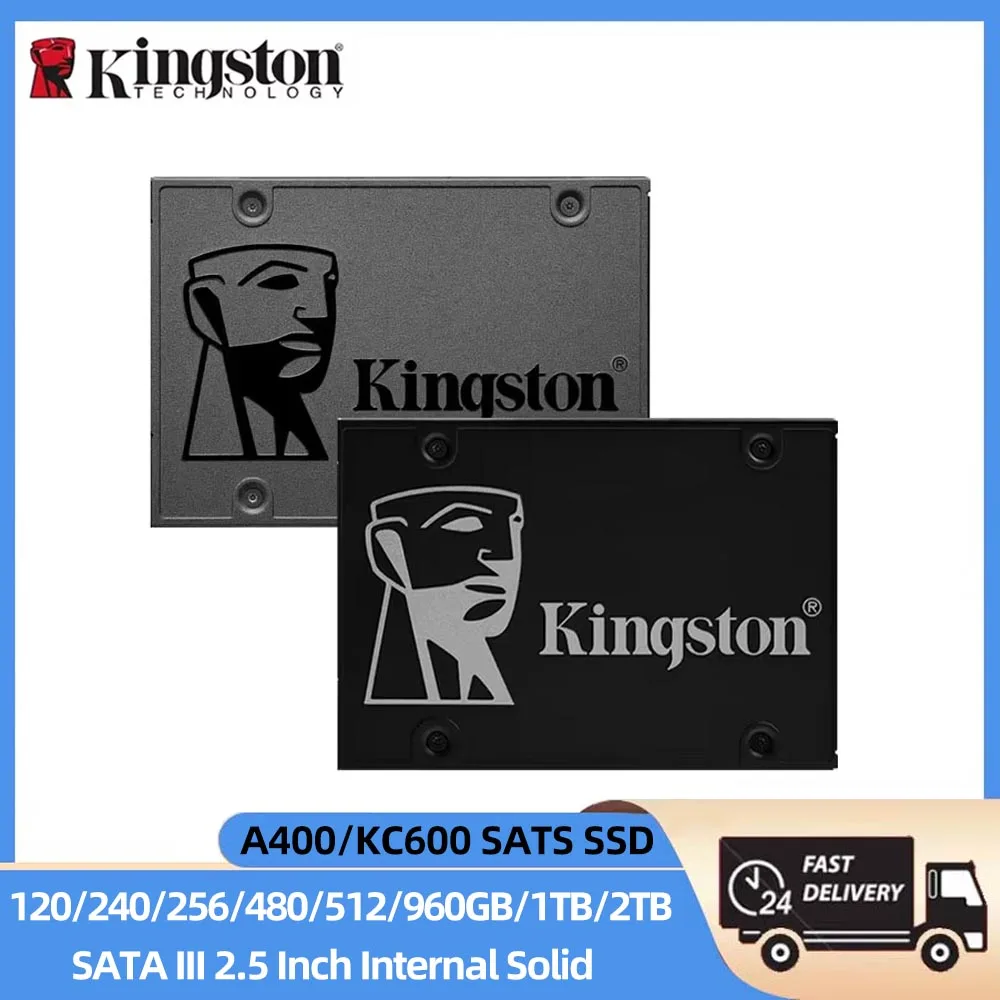
The visible specifications, such as the 2.5-inch form factor and SATA III interface, immediately signal its primary application: replacing slower 2.5-inch HDDs in laptops and desktops. SATA III, or SATA 6Gb/s, is the standard interface for internal SSDs, providing a theoretical maximum bandwidth of 600MB/s. This bandwidth is critical for reaching the advertised sequential read speeds of up to 500MB/s, as indicated by the product imagery. Such speeds are a dramatic leap from the typical 80-160MB/s of a conventional HDD.
Consider a user frequently opening large applications or booting their operating system. The difference is stark. Instead of waiting minutes for a system to become usable, an SSD-equipped machine is ready in seconds. This isn't just about raw speed; it's about reclaiming valuable time and reducing frustration during daily computing tasks. The upgrade is more than just a component swap; it's a productivity multiplier.
For file transfer heavy users, sustained data velocity is paramount. The Kingston A400 and KC600 series, while differing slightly in their internal controllers and NAND types (A400 typically DRAM-less, KC600 with DRAM cache), both aim to deliver consistent performance. The KC600, with its 3D TLC NAND and a dedicated DRAM cache, is particularly adept at handling larger, more frequent write operations without significant performance degradation. This is vital for tasks like video editing, large database management, or frequent backups.
The advertised read speeds around 500MB/s are typical for SATA III SSDs, but the *sustained* write performance is where the difference often lies between models. For instance, moving massive video files from one drive to another on an A400 might see some performance dips after the SLC cache is exhausted, especially with the larger capacities. The KC600, however, is engineered to maintain higher write speeds for longer durations, making it a more robust choice for professional workloads where speed throttling is unacceptable.
Compared to the sluggish performance of a 5400 RPM HDD, which can bottleneck even a powerful CPU, these Kingston SSDs ensure the storage subsystem is no longer the weakest link. This capability allows the entire system to operate at its full potential, processing data and executing commands with minimal delay. It's about efficiency, not just speed.
The Kingston lineup offers a broad spectrum of capacities, from 120GB to 2TB. This range ensures that users can select a drive that perfectly matches their storage needs and budget. A 120GB or 240GB drive is ideal for a boot drive and essential applications, providing a significant speed boost for an older laptop. Larger capacities, such as 1TB or 2TB, are suitable for users with extensive media libraries, large game installations, or professional applications requiring substantial storage space.
The 2.5-inch form factor guarantees wide compatibility. Most modern laptops and many desktop PCs include a 2.5-inch drive bay. The image clearly shows the standard dimensions and mounting points, indicating a straightforward installation process. For desktops without a dedicated 2.5-inch bay, a simple 2.5-inch to 3.5-inch adapter bracket is usually sufficient. This ease of integration minimizes setup time.
This broad compatibility means a user doesn't need to worry about proprietary connectors or complex configurations. The SATA III interface is a mature, widely supported standard, ensuring that the drive will function seamlessly with almost any system capable of supporting a 2.5-inch drive. It's a plug-and-play upgrade for most users, simplifying the transition to faster storage.
Solid-state drives inherently offer superior durability compared to traditional hard drives. Without any moving parts, they are far more resistant to physical shock and vibration. This makes them an excellent choice for laptops, which are frequently moved and susceptible to accidental drops. The robust construction, as implied by the metal casing visible in the product images, further enhances this resilience.
Kingston SSDs are also known for their reliability, featuring technologies like wear-leveling to distribute write cycles evenly across the NAND cells, extending the drive's lifespan. The lack of mechanical components means less heat generation and lower power consumption, contributing to better battery life in laptops and a cooler running system overall. These are practical benefits that extend beyond mere speed.
This inherent durability translates to a lower total cost of ownership over time. Reduced risk of data loss from physical impact and a longer operational lifespan mean fewer replacements and less downtime. For critical data, the peace of mind offered by an SSD's physical resilience is invaluable. It’s an investment in stability.
While SSDs historically carried a premium price, current market conditions make them an incredibly cost-effective upgrade. The price-per-gigabyte has fallen significantly, making high-capacity SSDs accessible to a broader audience. Considering the dramatic performance improvement, the return on investment for an SSD upgrade is exceptionally high. It often feels like buying a new computer for a fraction of the cost.
The long-term value extends to system longevity. An older computer struggling with a slow HDD can gain a new lease on life with an SSD. This delays the need for a complete system replacement, saving considerable expense. The efficiency gains in daily operations also contribute to value, as less time is wasted waiting for data to load. It's a smart financial decision.
Unlike an incremental RAM upgrade, which might offer diminishing returns past a certain point, an SSD upgrade provides a universally noticeable improvement across almost all computing tasks. This makes it one of the most impactful upgrades a user can perform. The investment pays off immediately in user experience and continues to deliver over the lifespan of the computer.
Installing these Kingston SSDs is a straightforward process, designed for accessibility. The 2.5-inch form factor aligns with standard drive bays, requiring only a few screws to secure it in place. The SATA data and power connectors are universal, ensuring a hassle-free connection to the motherboard and power supply. Most users can complete the physical installation within minutes.
For cloning an existing operating system, Kingston often provides or recommends free cloning software, simplifying the migration from an old HDD. This eliminates the need for a fresh OS installation, preserving all existing applications and settings. The process is designed to be as seamless as possible, even for users with limited technical expertise. It's a user-friendly process.
This ease of installation means that the performance benefits are quickly realized. There's no steep learning curve or complex configuration required. The drive is recognized by the system immediately, allowing the user to proceed with formatting or cloning. This accessibility makes the upgrade appealing to a wide range of users, from casual home users to IT professionals.
Imagine your system booting in mere seconds, applications launching instantly, and large files transferring with astonishing speed. Envision a workflow where storage bottlenecks are a distant memory, allowing you to focus entirely on your tasks without frustrating delays. This Kingston SSD transforms your daily computing into a fluid, responsive, and highly efficient experience, making every interaction with your computer feel effortless and immediate. It's time to stop waiting and start working at the speed you deserve.
Unlocking System Responsiveness
This SSD fundamentally transforms a computer's operational speed. Unlike mechanical hard drives that rely on spinning platters and read/write heads, solid-state drives utilize NAND flash memory. This means data access is virtually instantaneous, eliminating the physical delays inherent in older storage technologies. The absence of moving parts also contributes to a quieter system operation, a subtle but significant improvement for any workstation.
The visible specifications, such as the 2.5-inch form factor and SATA III interface, immediately signal its primary application: replacing slower 2.5-inch HDDs in laptops and desktops. SATA III, or SATA 6Gb/s, is the standard interface for internal SSDs, providing a theoretical maximum bandwidth of 600MB/s. This bandwidth is critical for reaching the advertised sequential read speeds of up to 500MB/s, as indicated by the product imagery. Such speeds are a dramatic leap from the typical 80-160MB/s of a conventional HDD.
Consider a user frequently opening large applications or booting their operating system. The difference is stark. Instead of waiting minutes for a system to become usable, an SSD-equipped machine is ready in seconds. This isn't just about raw speed; it's about reclaiming valuable time and reducing frustration during daily computing tasks. The upgrade is more than just a component swap; it's a productivity multiplier.
Sustained Data Velocity
For file transfer heavy users, sustained data velocity is paramount. The Kingston A400 and KC600 series, while differing slightly in their internal controllers and NAND types (A400 typically DRAM-less, KC600 with DRAM cache), both aim to deliver consistent performance. The KC600, with its 3D TLC NAND and a dedicated DRAM cache, is particularly adept at handling larger, more frequent write operations without significant performance degradation. This is vital for tasks like video editing, large database management, or frequent backups.
The advertised read speeds around 500MB/s are typical for SATA III SSDs, but the *sustained* write performance is where the difference often lies between models. For instance, moving massive video files from one drive to another on an A400 might see some performance dips after the SLC cache is exhausted, especially with the larger capacities. The KC600, however, is engineered to maintain higher write speeds for longer durations, making it a more robust choice for professional workloads where speed throttling is unacceptable.
Compared to the sluggish performance of a 5400 RPM HDD, which can bottleneck even a powerful CPU, these Kingston SSDs ensure the storage subsystem is no longer the weakest link. This capability allows the entire system to operate at its full potential, processing data and executing commands with minimal delay. It's about efficiency, not just speed.
Capacity and Compatibility
The Kingston lineup offers a broad spectrum of capacities, from 120GB to 2TB. This range ensures that users can select a drive that perfectly matches their storage needs and budget. A 120GB or 240GB drive is ideal for a boot drive and essential applications, providing a significant speed boost for an older laptop. Larger capacities, such as 1TB or 2TB, are suitable for users with extensive media libraries, large game installations, or professional applications requiring substantial storage space.
The 2.5-inch form factor guarantees wide compatibility. Most modern laptops and many desktop PCs include a 2.5-inch drive bay. The image clearly shows the standard dimensions and mounting points, indicating a straightforward installation process. For desktops without a dedicated 2.5-inch bay, a simple 2.5-inch to 3.5-inch adapter bracket is usually sufficient. This ease of integration minimizes setup time.
This broad compatibility means a user doesn't need to worry about proprietary connectors or complex configurations. The SATA III interface is a mature, widely supported standard, ensuring that the drive will function seamlessly with almost any system capable of supporting a 2.5-inch drive. It's a plug-and-play upgrade for most users, simplifying the transition to faster storage.
Durability and Longevity
Solid-state drives inherently offer superior durability compared to traditional hard drives. Without any moving parts, they are far more resistant to physical shock and vibration. This makes them an excellent choice for laptops, which are frequently moved and susceptible to accidental drops. The robust construction, as implied by the metal casing visible in the product images, further enhances this resilience.
Kingston SSDs are also known for their reliability, featuring technologies like wear-leveling to distribute write cycles evenly across the NAND cells, extending the drive's lifespan. The lack of mechanical components means less heat generation and lower power consumption, contributing to better battery life in laptops and a cooler running system overall. These are practical benefits that extend beyond mere speed.
This inherent durability translates to a lower total cost of ownership over time. Reduced risk of data loss from physical impact and a longer operational lifespan mean fewer replacements and less downtime. For critical data, the peace of mind offered by an SSD's physical resilience is invaluable. It’s an investment in stability.
Value Proposition and Investment
While SSDs historically carried a premium price, current market conditions make them an incredibly cost-effective upgrade. The price-per-gigabyte has fallen significantly, making high-capacity SSDs accessible to a broader audience. Considering the dramatic performance improvement, the return on investment for an SSD upgrade is exceptionally high. It often feels like buying a new computer for a fraction of the cost.
The long-term value extends to system longevity. An older computer struggling with a slow HDD can gain a new lease on life with an SSD. This delays the need for a complete system replacement, saving considerable expense. The efficiency gains in daily operations also contribute to value, as less time is wasted waiting for data to load. It's a smart financial decision.
Unlike an incremental RAM upgrade, which might offer diminishing returns past a certain point, an SSD upgrade provides a universally noticeable improvement across almost all computing tasks. This makes it one of the most impactful upgrades a user can perform. The investment pays off immediately in user experience and continues to deliver over the lifespan of the computer.
Streamlined Installation
Installing these Kingston SSDs is a straightforward process, designed for accessibility. The 2.5-inch form factor aligns with standard drive bays, requiring only a few screws to secure it in place. The SATA data and power connectors are universal, ensuring a hassle-free connection to the motherboard and power supply. Most users can complete the physical installation within minutes.
For cloning an existing operating system, Kingston often provides or recommends free cloning software, simplifying the migration from an old HDD. This eliminates the need for a fresh OS installation, preserving all existing applications and settings. The process is designed to be as seamless as possible, even for users with limited technical expertise. It's a user-friendly process.
This ease of installation means that the performance benefits are quickly realized. There's no steep learning curve or complex configuration required. The drive is recognized by the system immediately, allowing the user to proceed with formatting or cloning. This accessibility makes the upgrade appealing to a wide range of users, from casual home users to IT professionals.
The Future of Your Workflow
Imagine your system booting in mere seconds, applications launching instantly, and large files transferring with astonishing speed. Envision a workflow where storage bottlenecks are a distant memory, allowing you to focus entirely on your tasks without frustrating delays. This Kingston SSD transforms your daily computing into a fluid, responsive, and highly efficient experience, making every interaction with your computer feel effortless and immediate. It's time to stop waiting and start working at the speed you deserve.