Cubot TAB 70 Tablet
Official Store Deal
Expert Analysis Overview
The Digital Canvas: Display and Visual Fidelity
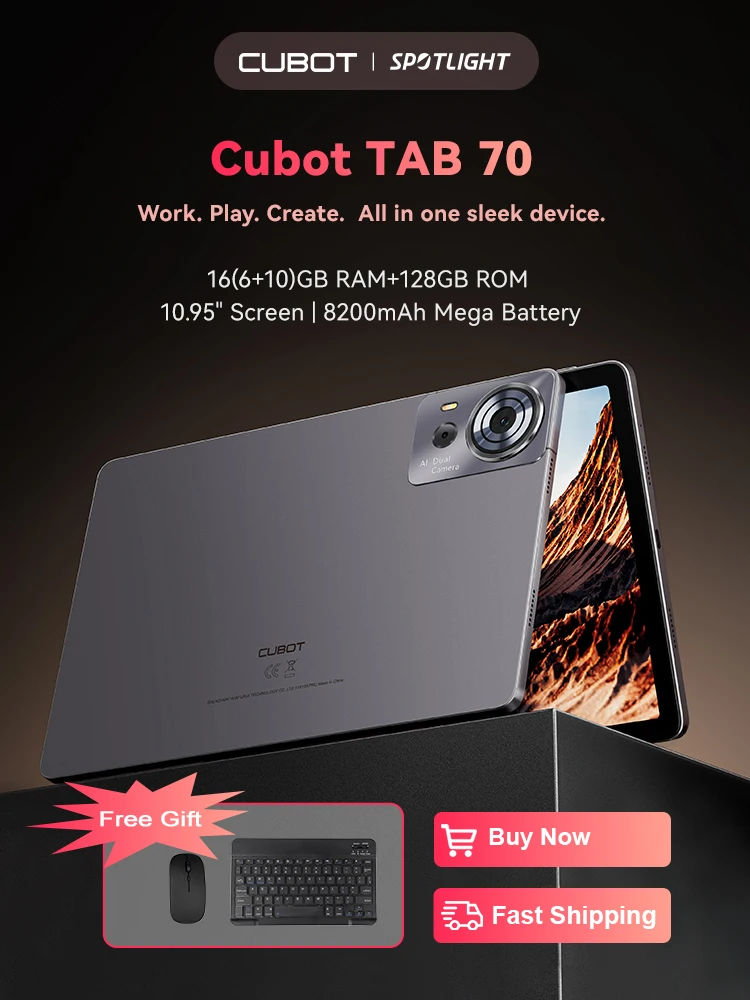
The Cubot TAB 70 is a budget-conscious Android tablet designed for users seeking a large display and robust multitasking capabilities without a premium price tag. This device positions itself as an accessible entry point for digital media consumption and light productivity, particularly for those who prioritize screen real estate. Its specifications suggest a focus on general use rather than specialized, high-demand applications.The tablet features a 10.95-inch HD+ screen, a significant size for its price segment. This expansive display provides ample room for viewing documents, browsing the web, or engaging with digital content. The larger screen directly translates to a more immersive experience for movies and casual gaming.
Compared to smaller, more common 8-inch or 9-inch budget tablets, the 10.95-inch panel offers a superior visual footprint. While the 1280x800 resolution is standard for an HD+ designation, it means pixel density will be lower than on premium QHD or FHD+ displays. This resolution is perfectly adequate for general browsing and video streaming, but for intricate digital artwork, fine details might appear less sharp.
Artistic Considerations: Stylus and Display Interaction
For digital artists, the display's characteristics are paramount. The HD+ resolution on a 10.95-inch panel suggests that while the canvas is large, the fidelity for extremely detailed line work might be a limiting factor. This is a common trade-off in the budget tablet category.Screen lamination, which affects parallax, is not explicitly mentioned. Budget tablets typically use a non-laminated display, meaning there is a small gap between the LCD panel and the touch-sensitive glass. This gap can introduce a noticeable offset between the stylus tip and the on-screen line, known as parallax. This might make precise drawing challenging.
Palm rejection, a crucial feature for comfortable digital drawing, is also not specified. Without dedicated hardware or software for palm rejection, artists may find their palm inadvertently making marks on the screen while drawing. This tablet is likely more suited for finger-based input or basic stylus use rather than professional drawing applications requiring high precision and pressure sensitivity. Its value lies in its size for general viewing.
Under the Hood: Processing Power and Memory Architecture
Performance is driven by an Octa-Core processor, specifically the SC T616. This chipset is designed for efficiency and capable of handling everyday tasks. It provides a solid foundation for running multiple applications simultaneously.The tablet boasts an impressive 16GB of RAM, achieved through a combination of 6GB physical RAM and 10GB of virtual memory expansion. This substantial RAM allocation ensures that multitasking remains fluid. Users can switch between apps without significant slowdowns.
For standard entry-level tablets, 2GB or 4GB of RAM is common. The Cubot TAB 70's 16GB (expanded) significantly surpasses this, offering a much smoother user experience for those who keep many apps open. This is a clear advantage for productivity and general responsiveness. The 128GB ROM provides ample internal storage for applications and media.
Seamless Workflow: Multitasking and Application Handling
The SC T616 Octa-core engine, combined with the expanded RAM, facilitates a seamless workflow. Applications launch quickly. Users can comfortably browse complex websites, stream high-definition video, and manage email without noticeable lag.This configuration is particularly beneficial for creative users who might use multiple reference images or switch between different art applications. The tablet handles these transitions efficiently. It keeps background apps ready for immediate access.
Compared to tablets with less RAM, the Cubot TAB 70 minimizes app reloading and stuttering. This translates to less frustration and more productive time. The processor is not a high-end gaming chip, but it handles most mainstream apps well.
Capturing Moments: Camera Capabilities
The Cubot TAB 70 includes a 16MP main camera on the rear. This resolution is respectable for a tablet, allowing for decent quality photos. It is suitable for capturing reference images for digital art projects or scanning documents.An 8MP front camera is also present. This camera is ideal for video calls, online meetings, and casual selfies. Its resolution ensures clear communication.
While tablet cameras are generally not on par with smartphone cameras, the 16MP main sensor offers more detail than the typical 5MP or 8MP sensors found on many budget tablets. This makes it a more versatile tool for visual input. The front camera is sufficient for its intended purpose of video conferencing.
Endurance for Creativity: Battery Life
A substantial 8200mAh mega battery powers the Cubot TAB 70. This large capacity is designed to provide all-day power. Extended usage is a key benefit.The 8200mAh battery translates to significant operational hours: up to 10 hours of movies, 8 hours of gaming, 13 hours of browsing, 15 hours of music, and 11 hours of voice calls. Standby time extends to over 432 hours. This is impressive endurance.
Many tablets in this category offer 5000mAh to 7000mAh batteries. The Cubot TAB 70's 8200mAh capacity provides a distinct advantage for users who need their device to last through long work sessions or travel without constant recharging. Power users will appreciate this longevity.
Ergonomics and Portability: Design and Connectivity
The tablet features an ultra-slim 8.1mm profile and weighs only 555g. This design emphasizes portability and ease of handling. It feels light in the hand.The slim and light build makes the Cubot TAB 70 comfortable to hold for extended periods, whether reading, watching videos, or sketching. Its minimal thickness also allows for easy insertion into bags or sleeves.
Compared to bulkier tablets, the Cubot TAB 70 offers superior ergonomics. The inclusion of a 3.5mm headphone port is a welcome feature, allowing users to connect traditional wired headphones without needing adapters. This is a convenience often omitted on newer devices.
Software Experience: Android 14 and User Interface
Running on Android 14, the Cubot TAB 70 provides access to the latest features and security updates from Google. This ensures a modern and responsive user experience. App compatibility is excellent.Android 14 brings improvements in privacy, customization, and system performance. Users benefit from enhanced controls over their data and a more refined interface. The operating system is intuitive.
Having the latest Android version is a significant advantage over tablets still running older iterations. It guarantees access to the newest applications and ongoing support. This extends the tablet's usable lifespan.
Connectivity and Navigation: GPS and Wireless Standards
The tablet includes GPS functionality, making it suitable for navigation and location-based services. This enhances its utility beyond entertainment. It helps users find their way.GPS capabilities mean the tablet can double as a large-screen navigation device when paired with a cellular hotspot or offline maps. It is useful for travel and outdoor activities. Location tracking for apps is also precise.
Many budget tablets omit dedicated GPS, relying solely on Wi-Fi triangulation. The inclusion of GPS on the Cubot TAB 70 provides more reliable and accurate positioning. This is a practical feature for many users.
Security and Convenience: Biometric Authentication
For security and quick access, the Cubot TAB 70 supports Face ID. This allows users to unlock the device with a glance. It offers a convenient method of authentication.Face ID provides a hands-free way to secure the tablet, making it faster to access than typing a PIN or pattern. It adds a layer of personal security. The setup process is straightforward.
While not as secure as fingerprint sensors on higher-end devices, Face ID on budget tablets offers a good balance of convenience and basic security. It is a useful addition for everyday tablet use. Access is quick and easy.