Baseus 12-in-1 USB-C Docking Station for Mac
Official Store Deal
Expert Analysis Overview
The Baseus 12-in-1 USB-C Docking Station is a comprehensive connectivity hub engineered for macOS and Windows users seeking to streamline their workspace and enhance ergonomic comfort during extended computing sessions. Its vertical design prioritizes desk organization, directly addressing common ergonomic challenges associated with cluttered workstations and inconvenient port access. This docking station consolidates a multitude of connections, transforming a single USB-C port into a powerful expansion array, thereby reducing physical strain and improving workflow efficiency.
Many users grapple with a tangle of cables and limited ports, leading to awkward desk setups and constant reaching. This often results in poor posture, wrist strain from inadequate peripheral placement, and general discomfort during long work sessions. The Baseus docking station addresses these frustrations directly, consolidating connections into a single, accessible unit. This vertical form factor minimizes its desk footprint, freeing up valuable space for ergonomic peripherals like wrist rests or larger mouse pads. A tidy desk improves focus.
Unlike many horizontal hubs that contribute to cable sprawl, the upright stance of this Baseus unit allows cables to drop neatly behind it, out of sight and out of mind. This thoughtful design reduces the visual noise of a workstation, which can subtly alleviate mental fatigue over prolonged periods. The strategic placement of frequently accessed ports on the front, such as two USB-A and one USB-C data port, means less stretching or fumbling when connecting flash drives or charging devices. Accessibility is key for comfort.
Compared to standard, flat USB hubs that often contribute to desk clutter, this vertical docking station offers a more organized and accessible port layout, aligning with best practices for ergonomic workstation design. It prevents the common scenario of users having to constantly shift their laptop or reach around it to connect devices, which can lead to repetitive strain. This is a significant upgrade for any professional setup.
This docking station supports dual display expansion for macOS, featuring two HDMI ports and two DisplayPort outputs, all capable of 4K resolution at 60Hz. This capability allows users to extend their desktop across multiple screens, a critical feature for multitasking professionals. Working across several large monitors can drastically reduce the need to constantly switch between application windows on a single screen.
Reducing window switching directly translates to less eye strain and fewer head and neck movements, promoting a more static and comfortable posture. For graphic designers, video editors, or data analysts, the ability to have multiple applications visible simultaneously can significantly improve efficiency and reduce the cognitive load associated with managing many open windows. This setup supports sustained focus. The clarity of 4K@60Hz ensures crisp text and smooth visuals, minimizing visual fatigue even during detailed work.
Traditional setups often limit users to a single external display or require multiple adapters, each introducing potential points of failure and adding to cable clutter. The Baseus dock integrates these display outputs seamlessly, providing a robust and reliable connection for a multi-monitor environment. This integrated approach simplifies setup and ensures consistent performance, unlike daisy-chained adapters that can introduce latency or compatibility issues.
Power delivery is a core feature, with a dedicated 100W Power Input port that can deliver up to 95W to the connected host laptop. This means a single cable from the docking station can power your MacBook Pro or MacBook Air while simultaneously handling all data and display connections. Eliminating a separate power brick for the laptop further reduces cable clutter and frees up an outlet. This simplifies your desk.
For users who frequently move their laptops, the single-cable connection simplifies hot-desking or transitioning between home and office setups. Less fumbling with multiple cables means less time spent connecting and disconnecting, which contributes to a smoother, less frustrating start to the workday. This efficiency directly impacts overall user experience and reduces potential for wear on laptop ports. A quick setup means more work time.
Many basic USB-C hubs offer limited power pass-through, often insufficient for demanding laptops, requiring users to connect a separate power adapter. The Baseus 100W PD capability positions it as a superior solution for power-hungry devices, ensuring stable operation and charging even under heavy load. This prevents the common issue of slow charging or battery drain while using peripherals through a hub.
Data transfer speeds are also impressive, with USB-C data ports offering 10Gbps and USB-A data ports offering 5Gbps. The inclusion of a Gigabit Ethernet port ensures stable and fast wired network connectivity, which is often more reliable than Wi-Fi for critical tasks. Fast data transfer saves time.
High-speed data ports are crucial for professionals working with large files, such as video production or scientific data analysis. Transferring a 20GB file in 20 seconds (as advertised for 10Gbps) significantly reduces waiting times, allowing users to remain focused on their tasks rather than waiting for file transfers to complete. This efficiency minimizes interruptions and maintains workflow momentum. Waiting less means doing more.
Unlike older USB 2.0 or even slower USB 3.0 hubs, the Baseus docking station provides modern data transfer speeds that keep pace with contemporary external SSDs and other high-bandwidth peripherals. This ensures that the docking station does not become a bottleneck in a high-performance workstation. It is built for today's demands.
The docking station features a one-button smart control on its top surface. A single press locks the screen, protecting privacy, while a press and hold (2 seconds) activates power-down functions for focused PD charging. This physical button provides immediate, tactile control over essential functions, bypassing the need to navigate software menus. Direct control enhances usability.
This intuitive control mechanism is an ergonomic benefit, offering a quick and accessible way to manage privacy and power states without breaking workflow. For users who frequently step away from their desks or want to optimize charging, this physical button is far more convenient than searching for system settings. It reduces cognitive load and keeps focus on tasks. Simple actions are better.
Many docking stations lack such integrated controls, relying solely on operating system functions or requiring manual disconnection. The Baseus's dedicated button streamlines these common actions, making it a more user-friendly and ergonomically considerate device. This small feature makes a significant difference in daily interaction.
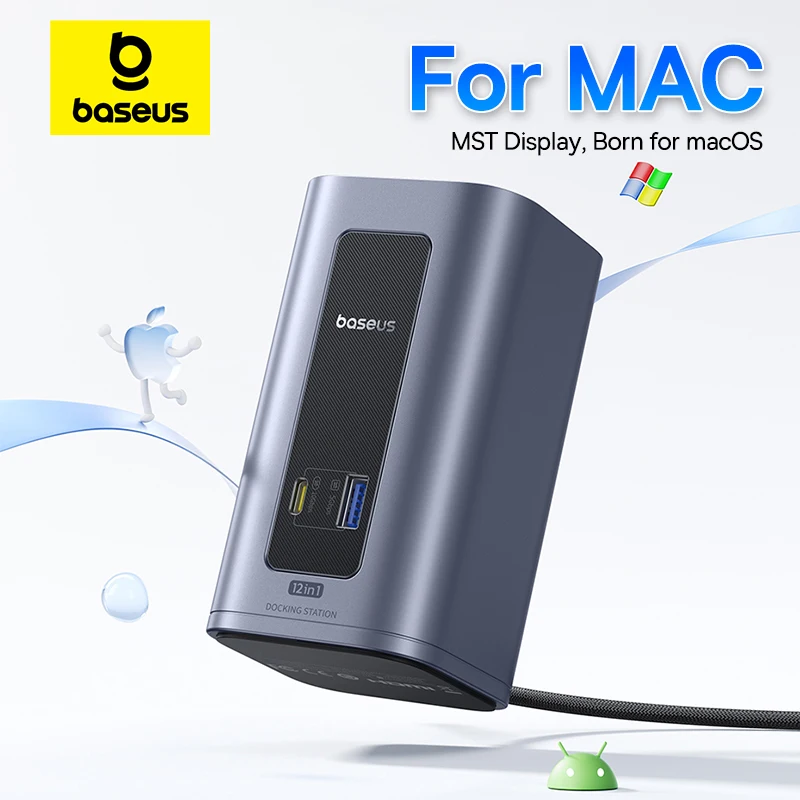
The visible construction implies a robust, metallic casing, likely aluminum alloy, which contributes to both durability and efficient heat dissipation. A sturdy build ensures the device remains stable on the desk, preventing accidental shifts or disconnections. The dark gray finish offers a professional aesthetic that blends well with most office environments. Durability protects your investment.
Efficient heat dissipation is vital for a device handling multiple high-bandwidth connections and power delivery, preventing performance throttling or premature component failure. A cool-running device maintains optimal performance over extended periods, ensuring reliable operation during long workdays. This contributes to system stability. The integrated cable length of 2.6 ft provides flexibility for placement.
Compared to lighter, plastic-bodied hubs, the Baseus docking station's apparent metal construction suggests a higher quality build that can withstand daily use and provide better thermal management. This ensures consistent performance and longevity, offering superior reliability for a professional setup. It is built to last.
This docking station is designed to be a central point for all your peripheral needs. The extensive port selection includes multiple USB-A and USB-C data ports, dual HDMI, dual DisplayPort, Gigabit Ethernet, and an SD/TF card reader. This comprehensive array supports a wide range of devices, from external storage to specialized input devices. It truly expands connectivity.
For professionals, the ability to connect all necessary tools—external drives, keyboards, mice, webcams, and multiple monitors—through a single dock simplifies their setup considerably. This reduces the time spent plugging and unplugging devices, allowing for more uninterrupted work. The integrated card readers are convenient for photographers and videographers. Every port serves a purpose.
Many users find themselves needing multiple dongles or smaller hubs to achieve the same level of connectivity, leading to a fragmented and less reliable setup. The Baseus 12-in-1 design consolidates these functions into one robust unit, offering a more stable and efficient solution. This integrated approach minimizes compatibility issues and streamlines the entire workstation. It simplifies complex connections.
Imagine a desk free from cable spaghetti, where monitors extend seamlessly, and all your devices connect with a single, effortless plug. Your hands rest naturally, your posture is upright, and your focus remains unbroken, empowered by a truly integrated workspace. This docking station provides the foundation for such an environment, allowing you to concentrate on your work, not your cables. It's an investment in your productivity and physical comfort, ensuring that your computing experience is as smooth and strain-free as possible.
Architecting a Clutter-Free Environment
Many users grapple with a tangle of cables and limited ports, leading to awkward desk setups and constant reaching. This often results in poor posture, wrist strain from inadequate peripheral placement, and general discomfort during long work sessions. The Baseus docking station addresses these frustrations directly, consolidating connections into a single, accessible unit. This vertical form factor minimizes its desk footprint, freeing up valuable space for ergonomic peripherals like wrist rests or larger mouse pads. A tidy desk improves focus.
Unlike many horizontal hubs that contribute to cable sprawl, the upright stance of this Baseus unit allows cables to drop neatly behind it, out of sight and out of mind. This thoughtful design reduces the visual noise of a workstation, which can subtly alleviate mental fatigue over prolonged periods. The strategic placement of frequently accessed ports on the front, such as two USB-A and one USB-C data port, means less stretching or fumbling when connecting flash drives or charging devices. Accessibility is key for comfort.
Compared to standard, flat USB hubs that often contribute to desk clutter, this vertical docking station offers a more organized and accessible port layout, aligning with best practices for ergonomic workstation design. It prevents the common scenario of users having to constantly shift their laptop or reach around it to connect devices, which can lead to repetitive strain. This is a significant upgrade for any professional setup.
Seamless Visual Expansion for Enhanced Workflow
This docking station supports dual display expansion for macOS, featuring two HDMI ports and two DisplayPort outputs, all capable of 4K resolution at 60Hz. This capability allows users to extend their desktop across multiple screens, a critical feature for multitasking professionals. Working across several large monitors can drastically reduce the need to constantly switch between application windows on a single screen.
Reducing window switching directly translates to less eye strain and fewer head and neck movements, promoting a more static and comfortable posture. For graphic designers, video editors, or data analysts, the ability to have multiple applications visible simultaneously can significantly improve efficiency and reduce the cognitive load associated with managing many open windows. This setup supports sustained focus. The clarity of 4K@60Hz ensures crisp text and smooth visuals, minimizing visual fatigue even during detailed work.
Traditional setups often limit users to a single external display or require multiple adapters, each introducing potential points of failure and adding to cable clutter. The Baseus dock integrates these display outputs seamlessly, providing a robust and reliable connection for a multi-monitor environment. This integrated approach simplifies setup and ensures consistent performance, unlike daisy-chained adapters that can introduce latency or compatibility issues.
Powering Productivity, Preventing Strain
Power delivery is a core feature, with a dedicated 100W Power Input port that can deliver up to 95W to the connected host laptop. This means a single cable from the docking station can power your MacBook Pro or MacBook Air while simultaneously handling all data and display connections. Eliminating a separate power brick for the laptop further reduces cable clutter and frees up an outlet. This simplifies your desk.
For users who frequently move their laptops, the single-cable connection simplifies hot-desking or transitioning between home and office setups. Less fumbling with multiple cables means less time spent connecting and disconnecting, which contributes to a smoother, less frustrating start to the workday. This efficiency directly impacts overall user experience and reduces potential for wear on laptop ports. A quick setup means more work time.
Many basic USB-C hubs offer limited power pass-through, often insufficient for demanding laptops, requiring users to connect a separate power adapter. The Baseus 100W PD capability positions it as a superior solution for power-hungry devices, ensuring stable operation and charging even under heavy load. This prevents the common issue of slow charging or battery drain while using peripherals through a hub.
Data transfer speeds are also impressive, with USB-C data ports offering 10Gbps and USB-A data ports offering 5Gbps. The inclusion of a Gigabit Ethernet port ensures stable and fast wired network connectivity, which is often more reliable than Wi-Fi for critical tasks. Fast data transfer saves time.
High-speed data ports are crucial for professionals working with large files, such as video production or scientific data analysis. Transferring a 20GB file in 20 seconds (as advertised for 10Gbps) significantly reduces waiting times, allowing users to remain focused on their tasks rather than waiting for file transfers to complete. This efficiency minimizes interruptions and maintains workflow momentum. Waiting less means doing more.
Unlike older USB 2.0 or even slower USB 3.0 hubs, the Baseus docking station provides modern data transfer speeds that keep pace with contemporary external SSDs and other high-bandwidth peripherals. This ensures that the docking station does not become a bottleneck in a high-performance workstation. It is built for today's demands.
Intuitive Control and Robust Construction
The docking station features a one-button smart control on its top surface. A single press locks the screen, protecting privacy, while a press and hold (2 seconds) activates power-down functions for focused PD charging. This physical button provides immediate, tactile control over essential functions, bypassing the need to navigate software menus. Direct control enhances usability.
This intuitive control mechanism is an ergonomic benefit, offering a quick and accessible way to manage privacy and power states without breaking workflow. For users who frequently step away from their desks or want to optimize charging, this physical button is far more convenient than searching for system settings. It reduces cognitive load and keeps focus on tasks. Simple actions are better.
Many docking stations lack such integrated controls, relying solely on operating system functions or requiring manual disconnection. The Baseus's dedicated button streamlines these common actions, making it a more user-friendly and ergonomically considerate device. This small feature makes a significant difference in daily interaction.
The visible construction implies a robust, metallic casing, likely aluminum alloy, which contributes to both durability and efficient heat dissipation. A sturdy build ensures the device remains stable on the desk, preventing accidental shifts or disconnections. The dark gray finish offers a professional aesthetic that blends well with most office environments. Durability protects your investment.
Efficient heat dissipation is vital for a device handling multiple high-bandwidth connections and power delivery, preventing performance throttling or premature component failure. A cool-running device maintains optimal performance over extended periods, ensuring reliable operation during long workdays. This contributes to system stability. The integrated cable length of 2.6 ft provides flexibility for placement.
Compared to lighter, plastic-bodied hubs, the Baseus docking station's apparent metal construction suggests a higher quality build that can withstand daily use and provide better thermal management. This ensures consistent performance and longevity, offering superior reliability for a professional setup. It is built to last.
Specifications for a Stable Setup
This docking station is designed to be a central point for all your peripheral needs. The extensive port selection includes multiple USB-A and USB-C data ports, dual HDMI, dual DisplayPort, Gigabit Ethernet, and an SD/TF card reader. This comprehensive array supports a wide range of devices, from external storage to specialized input devices. It truly expands connectivity.
For professionals, the ability to connect all necessary tools—external drives, keyboards, mice, webcams, and multiple monitors—through a single dock simplifies their setup considerably. This reduces the time spent plugging and unplugging devices, allowing for more uninterrupted work. The integrated card readers are convenient for photographers and videographers. Every port serves a purpose.
Many users find themselves needing multiple dongles or smaller hubs to achieve the same level of connectivity, leading to a fragmented and less reliable setup. The Baseus 12-in-1 design consolidates these functions into one robust unit, offering a more stable and efficient solution. This integrated approach minimizes compatibility issues and streamlines the entire workstation. It simplifies complex connections.
Imagine a desk free from cable spaghetti, where monitors extend seamlessly, and all your devices connect with a single, effortless plug. Your hands rest naturally, your posture is upright, and your focus remains unbroken, empowered by a truly integrated workspace. This docking station provides the foundation for such an environment, allowing you to concentrate on your work, not your cables. It's an investment in your productivity and physical comfort, ensuring that your computing experience is as smooth and strain-free as possible.