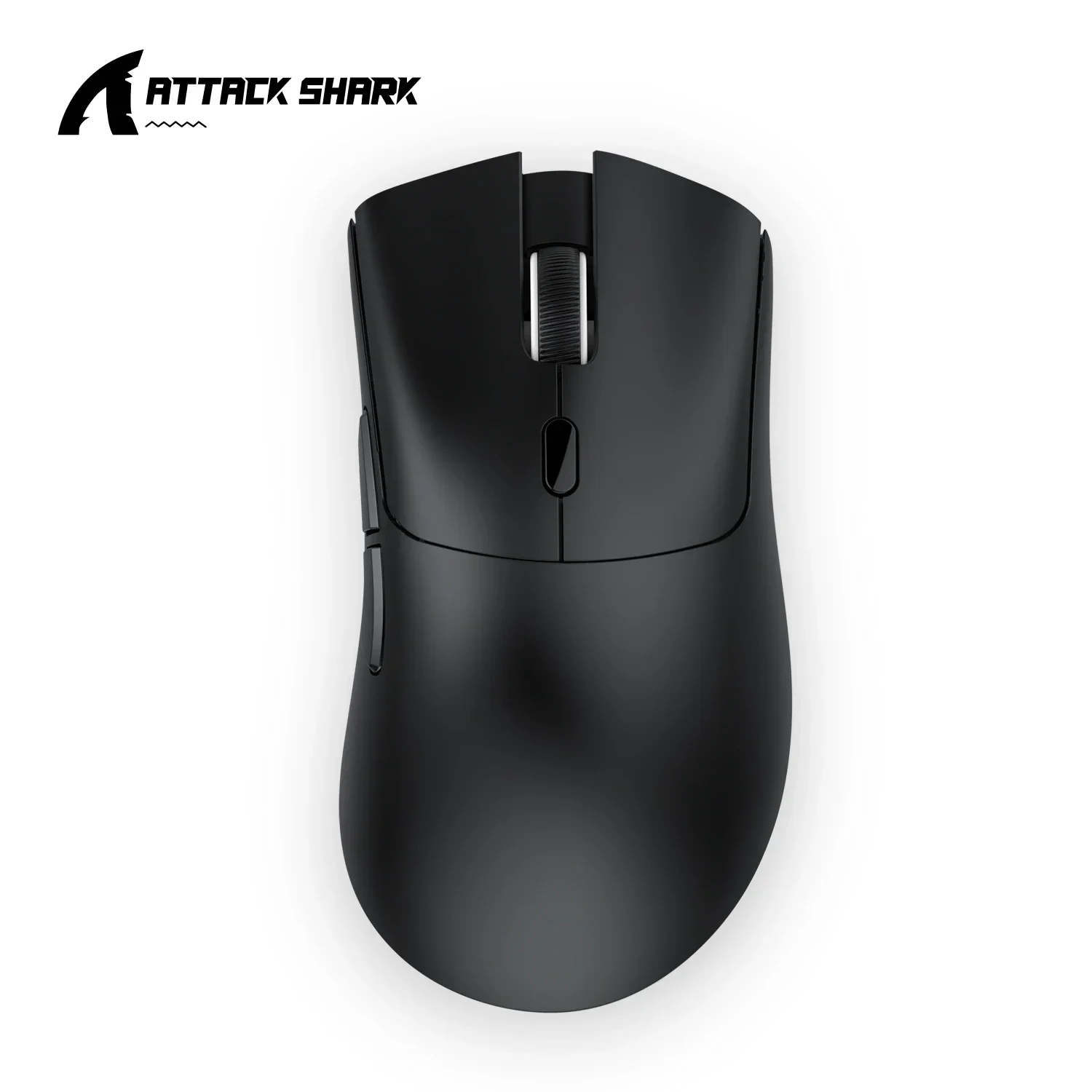
Attack Shark R1 Tri-Mode Gaming Mouse
Official Store Deal
Expert Analysis Overview
The Apex Predator of Precision: Attack Shark R1 Tri-Mode Gaming Mouse
The Attack Shark R1 is a formidable, lightweight gaming mouse engineered for competitive players demanding absolute precision and versatile connectivity in high-stakes environments. This peripheral isn't merely an input device; it is a critical extension of a player's reflexes, designed to provide a decisive edge in fast-paced competitive titles where milliseconds dictate victory or defeat.Unyielding Precision for Critical Engagements
At the core of the Attack Shark R1 lies the PAW3311 optical sensor, a critical component delivering up to 18,000 DPI. This level of sensitivity ensures that every micro-adjustment translates directly to on-screen movement, allowing for pixel-perfect aim that can distinguish top-tier performance. Unlike lesser sensors that exhibit jitter or acceleration anomalies, the PAW3311 provides a clean, consistent tracking experience that competitive players rely on for predictable crosshair placement.The sensor's capability extends to a rapid 400 IPS (Inches Per Second) tracking speed and a 40G acceleration. These figures indicate the mouse's capacity to maintain accurate tracking even during the most violent, rapid swipes across a mousepad. Imagine a scenario in a high-intensity FPS duel: a sudden 180-degree turn to counter a flank. The R1’s sensor ensures the cursor remains locked onto the target, without skips or lost tracking, a common failure point for budget mice. This raw performance directly translates into a palpable aim advantage, ensuring no movement is wasted.
Compared to entry-level gaming mice often equipped with older, less refined sensors, the PAW3311 in the Attack Shark R1 offers a significant leap in data fidelity. This advanced sensor technology processes movement data with superior accuracy, reducing the need for software corrections and providing a more direct, raw input experience. For players transitioning from basic office peripherals or older gaming mice, the difference in responsiveness and precision is immediately noticeable, tightening aim groups and increasing overall kill-to-death ratios.
Connectivity Without Compromise: Tri-Mode Dominance
The Attack Shark R1 boasts tri-mode connectivity, offering wired USB-C, 2.4GHz wireless, and Bluetooth 5.2 options. This comprehensive suite ensures optimal performance across various setups and scenarios. The primary mode for competitive play is the 2.4GHz wireless connection, leveraging a dedicated dongle to achieve a lightning-fast 1000Hz polling rate.A 1000Hz polling rate means the mouse reports its position to the computer 1,000 times per second. This rapid communication minimizes input lag, ensuring that the physical movement of the mouse is reflected almost instantaneously on the screen. For competitive gamers, this low latency is non-negotiable, directly impacting reaction times and the ability to execute precise maneuvers. Picture attempting a quick scope in a sniper battle; the R1's 1000Hz polling rate ensures the shot fires exactly when the trigger finger commands it, rather than a fraction of a second later, which can be the difference between a headshot and a miss.
While many wireless mice sacrifice polling rate or introduce perceptible lag, the 2.4GHz mode of the Attack Shark R1 maintains parity with its wired counterpart. This allows players the freedom of movement without the encumbrance of a cable, crucial for wide sweeping motions or adjusting posture mid-game. The Bluetooth 5.2 option provides further versatility for productivity tasks or when connecting to devices without available USB ports, though it operates at a lower polling rate, making it less ideal for hardcore gaming. The wired USB-C mode serves as a reliable backup and charging solution, ensuring continuous play even if the battery depletes during an intense session.
Ergonomics and Build for Prolonged Battles
The R1's design is focused on competitive utility, presenting a sleek, matte black or white finish that feels remarkably smooth and dense in hand. The contoured shape cradles the palm comfortably, promoting a secure grip during aggressive movements. Weighing in at a mere 59g (±3g), this mouse is exceptionally lightweight. This minimal mass significantly reduces arm and wrist fatigue during extended gaming sessions, allowing players to maintain peak performance for longer periods. A lighter mouse also facilitates quicker, more precise flick shots and rapid adjustments, particularly beneficial in games requiring constant, minute repositioning.Underneath the primary click buttons, the R1 utilizes Huano switches, rated for 20 million clicks. These switches provide a crisp, tactile click with minimal pre-travel, ensuring responsive and consistent actuation. A distinct, satisfying click confirms each input, preventing accidental double-clicks or missed actions. The scroll wheel, often an overlooked component, features TTC encoders, known for their precise and durable detents. This attention to detail means weapon swaps or utility selections are deliberate and accurate, never overshooting or feeling mushy. The side buttons are strategically placed for easy thumb access, offering programmable macros for in-game commands, reducing the need to contort fingers on the keyboard.
Compared to heavier, bulkier gaming mice that can lead to early fatigue and slower reaction times, the Attack Shark R1’s ultralight construction and robust, responsive switches stand out. This design philosophy prioritizes speed and endurance, making it a compelling choice for players involved in marathon gaming sessions or professional esports. The low-friction PTFE feet glide effortlessly across various mousepads, contributing to the feeling of unrestricted movement. The internal components, including the Broadcom BK3633 main control chip, are optimized for efficiency and responsiveness, underscoring its performance-first design.
Longevity and Practicality in the Heat of Play
Powering the Attack Shark R1 is a rechargeable battery that offers substantial endurance. While specific battery capacity isn't detailed, the manufacturer claims significant playtime, ensuring that the mouse can last through multiple intense gaming sessions before needing a recharge. The efficiency of the PAW3311 sensor and the Broadcom chip contribute to extended battery life, a crucial factor for wireless peripherals. A low-battery indicator is essential, allowing players to connect the USB-C cable before critical moments, preventing unexpected disconnections.Software support for macro programming and DPI customization further enhances the R1's competitive utility. Players can fine-tune DPI steps, rebind buttons, and create complex macros to streamline in-game actions. This level of personalization allows the mouse to adapt to individual playstyles and game requirements, from high-DPI flick aiming to low-DPI precision tracking. Imagine switching from a sniper rifle to a shotgun in a blink, with a single button press executing a complex sequence of actions, all thanks to a well-configured macro.
The overall package positions the Attack Shark R1 as a compelling value proposition in the competitive gaming peripheral market. Unlike many premium offerings that come with exorbitant price tags, the R1 delivers a high-performance sensor, rapid polling rate, ultralight design, and versatile connectivity at a price point that makes it accessible to a broader audience of serious gamers. This combination of features typically commands a much higher investment, making the R1 an attractive upgrade for those seeking top-tier performance without financial strain.
Imagine the decisive moments in your next ranked match, executing a flawless clutch play with pinpoint accuracy, or maintaining composure through an overtime epic, all facilitated by the Attack Shark R1. Its responsive clicks, seamless tracking, and featherlight feel ensure that the only limitations are your own skill, not your equipment. This mouse provides the tangible advantage needed to dominate the scoreboard and climb the ranks, session after session. Your input will be precise. Your movements will be swift. Your victories will be earned. The Attack Shark R1 ensures your hardware never holds you back from achieving that perfect play. This is the difference maker.