14.1-inch Ultra-Slim Laptop with Intel N3700 and Windows 11 Pro
Official Store Deal
Expert Analysis Overview
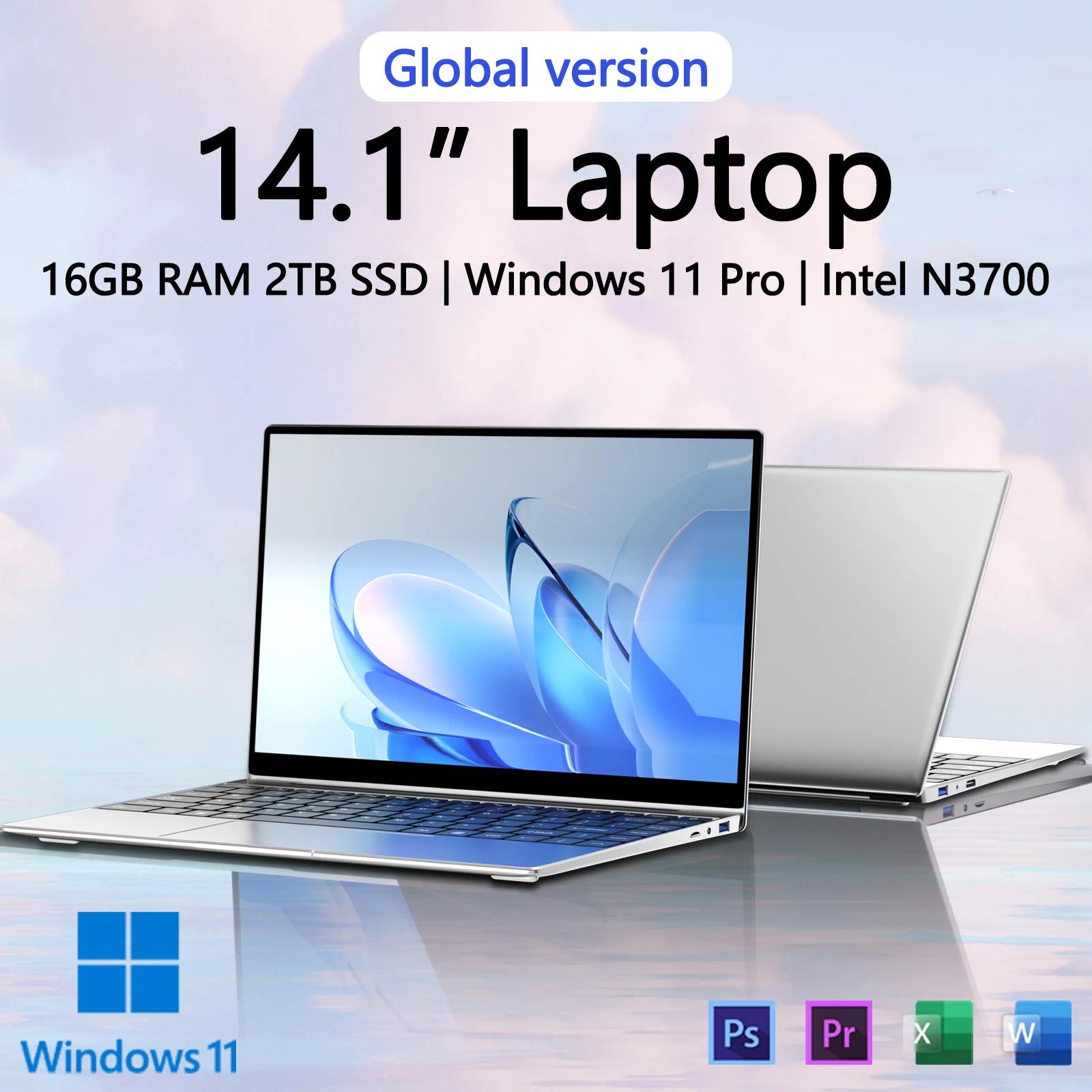
The 14.1-inch Ultra-Slim Laptop is a budget-oriented portable computing solution designed for basic productivity and media consumption, rather than demanding tasks. This assessment is based on the specified Intel N3700 processor, a component that fundamentally dictates the device's performance envelope. The marketing materials present a contradictory narrative regarding the CPU generation, which requires immediate clarification for potential users.
The core of this laptop's processing capability is the Intel N3700 processor. This is a quad-core, four-thread CPU from the Braswell generation, released in Q1 2015. Its base clock speed is 1.6 GHz, with a burst frequency up to 2.4 GHz, and a low Thermal Design Power (TDP) of 6W. This chip is designed for entry-level devices, prioritizing energy efficiency over raw computational power. It is an older architecture. The N3700 is not a 10th generation Intel chip, as one promotional image misleadingly suggests; 10th generation Intel processors were released significantly later, starting in 2019.
For daily operations, the N3700 can handle web browsing, email, word processing, and light media playback. Users should expect noticeable delays when opening multiple applications, running complex spreadsheets, or engaging in any form of content creation beyond basic photo editing. The low TDP means thermal throttling is less of a concern compared to higher-performance CPUs, but this is primarily because the chip's maximum performance is inherently limited. Sustained workloads will reveal the processor's age and architectural constraints. This is a fundamental limitation.
Compared to contemporary entry-level processors, such as Intel's N-series (N100, N200) or even older Celeron/Pentium Silver chips from the last few years, the N3700 offers significantly less performance. Modern budget laptops typically feature processors with improved single-core and multi-core performance, better integrated graphics, and more efficient power consumption. The N3700 represents a performance tier several generations behind current market standards. Expect modest speeds.
The laptop is advertised with 16GB of RAM and a 2TB SSD. The 16GB RAM allocation is generous for an N3700-equipped system. This amount of memory allows for a greater number of browser tabs or applications to be open simultaneously without immediately resorting to virtual memory, which can significantly slow down a system. However, the N3700's inherent limitations will still bottleneck overall system responsiveness, preventing the full benefit of the ample RAM from being realized. Memory capacity is high.
The inclusion of a 2TB SSD is also substantial, offering vast storage space for documents, media, and applications. An SSD inherently provides faster boot times and application loading compared to traditional hard disk drives. The promotional images, however, show a discrepancy, with one image stating "16GB+1024GB" (1TB SSD). This inconsistency requires verification from the vendor. Assuming a 2TB SSD, it provides ample room for large files. The speed of the SSD itself, while faster than an HDD, will still be constrained by the N3700's I/O capabilities, meaning it may not achieve peak theoretical speeds. Data access will be quick.
This device features a 14.1-inch Full HD (1920x1080) display. The resolution is standard for this screen size, providing adequate sharpness for text and images in typical viewing distances. Marketing claims of an "ultra-clear screen" and a "92% screen occupation ratio" suggest a narrow bezel design, which enhances the immersive viewing experience. A narrow bezel is visually appealing. The visual input confirms a slim bezel profile, contributing to a modern aesthetic.
For general productivity and media consumption, the Full HD resolution is perfectly functional. However, without specific data on color gamut (e.g., sRGB, Adobe RGB coverage) or brightness (nits), it is reasonable to infer that this is a standard budget panel. Such panels typically offer limited color accuracy and lower peak brightness, making them less suitable for professional graphic design or outdoor use. Color reproduction may be average. Users focused on precise color work should manage expectations.
Promotional materials emphasize the laptop's lightweight, slim, and portable design. The visual evidence supports a thin chassis, likely constructed from a metallic alloy or high-quality plastic, contributing to its portability. A thin profile is evident. This design philosophy targets users who require a device for travel, commuting, or frequent movement between different workspaces. The stated "about 24% lighter than the traditional shell" suggests a focus on reducing overall mass, which is a tangible benefit for mobile users.
Ergonomically, the keyboard features "20mm enlarged keycaps," "0.3mm hyperbolic keycaps," and a "6mm keyboard micro margin." These specifications suggest a design aimed at improving typing comfort and reducing errors. Larger keycaps can provide a more comfortable typing surface, while a hyperbolic (concave) shape often helps guide fingers to the center of the key. A narrow margin implies a full-sized keyboard layout within the 14.1-inch chassis. Typing should feel comfortable. The overall design appears functional for extended use.
The laptop ships with Windows 11 Pro. This operating system offers a modern interface, enhanced security features, and improved multitasking capabilities compared to previous Windows versions. The Pro version specifically includes features like BitLocker encryption, Group Policy management, and Remote Desktop, which are beneficial for business users or those requiring advanced system control. Windows 11 Pro is a capable OS. The N3700 processor, while capable of running Windows 11, will likely result in a less fluid user experience compared to systems with more powerful CPUs. The operating system itself is robust.
While specific port configurations are not explicitly detailed in all images, the slim profile suggests a limited selection of ports. Typically, ultra-slim laptops prioritize USB-C, USB-A, and potentially an HDMI output. The absence of detailed port information means users should verify connectivity options based on their peripheral requirements. External connectivity is crucial. The presence of Windows 11 Pro implies standard wireless connectivity (Wi-Fi and Bluetooth), though specific versions are not stated. Users should anticipate standard wireless protocols.
This 14.1-inch ultra-slim laptop, despite its generous RAM and SSD capacity, is fundamentally constrained by its Intel N3700 processor. It is a device best suited for users with minimal computing demands, prioritizing portability and basic functionality over raw power. The misleading CPU generation claim in marketing materials is a significant concern that buyers must acknowledge. For those who understand its limitations, it offers a lightweight platform for everyday tasks. Imagine effortlessly carrying a lightweight device for your daily emails and web browsing, without the burden of excessive weight or bulk, making it an ideal companion for light travel or casual home use.
Performance Architecture and Real-World Limitations
The core of this laptop's processing capability is the Intel N3700 processor. This is a quad-core, four-thread CPU from the Braswell generation, released in Q1 2015. Its base clock speed is 1.6 GHz, with a burst frequency up to 2.4 GHz, and a low Thermal Design Power (TDP) of 6W. This chip is designed for entry-level devices, prioritizing energy efficiency over raw computational power. It is an older architecture. The N3700 is not a 10th generation Intel chip, as one promotional image misleadingly suggests; 10th generation Intel processors were released significantly later, starting in 2019.
For daily operations, the N3700 can handle web browsing, email, word processing, and light media playback. Users should expect noticeable delays when opening multiple applications, running complex spreadsheets, or engaging in any form of content creation beyond basic photo editing. The low TDP means thermal throttling is less of a concern compared to higher-performance CPUs, but this is primarily because the chip's maximum performance is inherently limited. Sustained workloads will reveal the processor's age and architectural constraints. This is a fundamental limitation.
Compared to contemporary entry-level processors, such as Intel's N-series (N100, N200) or even older Celeron/Pentium Silver chips from the last few years, the N3700 offers significantly less performance. Modern budget laptops typically feature processors with improved single-core and multi-core performance, better integrated graphics, and more efficient power consumption. The N3700 represents a performance tier several generations behind current market standards. Expect modest speeds.
Memory and Storage Configuration
The laptop is advertised with 16GB of RAM and a 2TB SSD. The 16GB RAM allocation is generous for an N3700-equipped system. This amount of memory allows for a greater number of browser tabs or applications to be open simultaneously without immediately resorting to virtual memory, which can significantly slow down a system. However, the N3700's inherent limitations will still bottleneck overall system responsiveness, preventing the full benefit of the ample RAM from being realized. Memory capacity is high.
The inclusion of a 2TB SSD is also substantial, offering vast storage space for documents, media, and applications. An SSD inherently provides faster boot times and application loading compared to traditional hard disk drives. The promotional images, however, show a discrepancy, with one image stating "16GB+1024GB" (1TB SSD). This inconsistency requires verification from the vendor. Assuming a 2TB SSD, it provides ample room for large files. The speed of the SSD itself, while faster than an HDD, will still be constrained by the N3700's I/O capabilities, meaning it may not achieve peak theoretical speeds. Data access will be quick.
Visual Interface and Display Characteristics
This device features a 14.1-inch Full HD (1920x1080) display. The resolution is standard for this screen size, providing adequate sharpness for text and images in typical viewing distances. Marketing claims of an "ultra-clear screen" and a "92% screen occupation ratio" suggest a narrow bezel design, which enhances the immersive viewing experience. A narrow bezel is visually appealing. The visual input confirms a slim bezel profile, contributing to a modern aesthetic.
For general productivity and media consumption, the Full HD resolution is perfectly functional. However, without specific data on color gamut (e.g., sRGB, Adobe RGB coverage) or brightness (nits), it is reasonable to infer that this is a standard budget panel. Such panels typically offer limited color accuracy and lower peak brightness, making them less suitable for professional graphic design or outdoor use. Color reproduction may be average. Users focused on precise color work should manage expectations.
Portability and Ergonomics
Promotional materials emphasize the laptop's lightweight, slim, and portable design. The visual evidence supports a thin chassis, likely constructed from a metallic alloy or high-quality plastic, contributing to its portability. A thin profile is evident. This design philosophy targets users who require a device for travel, commuting, or frequent movement between different workspaces. The stated "about 24% lighter than the traditional shell" suggests a focus on reducing overall mass, which is a tangible benefit for mobile users.
Ergonomically, the keyboard features "20mm enlarged keycaps," "0.3mm hyperbolic keycaps," and a "6mm keyboard micro margin." These specifications suggest a design aimed at improving typing comfort and reducing errors. Larger keycaps can provide a more comfortable typing surface, while a hyperbolic (concave) shape often helps guide fingers to the center of the key. A narrow margin implies a full-sized keyboard layout within the 14.1-inch chassis. Typing should feel comfortable. The overall design appears functional for extended use.
Operating System and Software Environment
The laptop ships with Windows 11 Pro. This operating system offers a modern interface, enhanced security features, and improved multitasking capabilities compared to previous Windows versions. The Pro version specifically includes features like BitLocker encryption, Group Policy management, and Remote Desktop, which are beneficial for business users or those requiring advanced system control. Windows 11 Pro is a capable OS. The N3700 processor, while capable of running Windows 11, will likely result in a less fluid user experience compared to systems with more powerful CPUs. The operating system itself is robust.
Connectivity and Expansion Potential
While specific port configurations are not explicitly detailed in all images, the slim profile suggests a limited selection of ports. Typically, ultra-slim laptops prioritize USB-C, USB-A, and potentially an HDMI output. The absence of detailed port information means users should verify connectivity options based on their peripheral requirements. External connectivity is crucial. The presence of Windows 11 Pro implies standard wireless connectivity (Wi-Fi and Bluetooth), though specific versions are not stated. Users should anticipate standard wireless protocols.
Conclusion: A Pragmatic Choice for Specific Users
This 14.1-inch ultra-slim laptop, despite its generous RAM and SSD capacity, is fundamentally constrained by its Intel N3700 processor. It is a device best suited for users with minimal computing demands, prioritizing portability and basic functionality over raw power. The misleading CPU generation claim in marketing materials is a significant concern that buyers must acknowledge. For those who understand its limitations, it offers a lightweight platform for everyday tasks. Imagine effortlessly carrying a lightweight device for your daily emails and web browsing, without the burden of excessive weight or bulk, making it an ideal companion for light travel or casual home use.